Byrd Billing History

About the Project
This project was created during an internal Hackathon at Byrd, a SaaS platform
where I worked as a Product Designer. Our team aimed to design a self-service interface where
customers could manage their payment history without contacting support. The challenge: streamline
a task that was previously only possible via a help ticket.
Project Steps
-
Research
- Competitor Analysis
- Stakeholder Interview
-
Ideation
- Brainstorming
-
Design
- Wireframes
- Hi-Fi Layouts
- Prototype
-
Presentation
- Pitch Deck
User Problem
Users couldn’t access invoices, check transactions, or track billing without support. This caused
frustration and unnecessary delays. For the Support Team, it meant a high volume of repetitive
requests.
Who
who is affected by the problem?
Customers
Customer Support Employees
What
what is the problem?
Don't have a centralized place where they can manage their invoices
Overwhelmed with Customers requests (raised tickets) about providing invoices
Where
where does this problem occur?
Emails / Customer Dashboard
Freshdesk
When
when does the problem occur?
At the end of each month
At the end of each month
Why
why does the problem occur?
Users receive invoices only per email. So they have to manage them somehow
No way to see if the users received invoice by email
Idea Process
We explored competitors, spoke with support staff, and gathered internal feedback. The insights
helped us imagine a simpler, clearer solution. Our goal was to anticipate user needs and make
answers instantly accessible.
-
Download
Simplify invoice downloads
Ensure users can easily download invoices with one click.
-
Filtering
Add filtering options
Allow users to filter payment history by date, amount, or status + additional info.
-
Status
Clear payment status labels
Use simple, recognisable labels like "Paid," "Pending," or "Overdue."
-
Notifications
Automated reminders
Offer users the ability to set reminders for upcoming payments.
-
Actions
Bulk invoice actions
Let users select and manage multiple invoices at once.
-
Content
View details option
Let users click on an invoice for a detailed breakdown of charges.
Focusing on What Matters Most
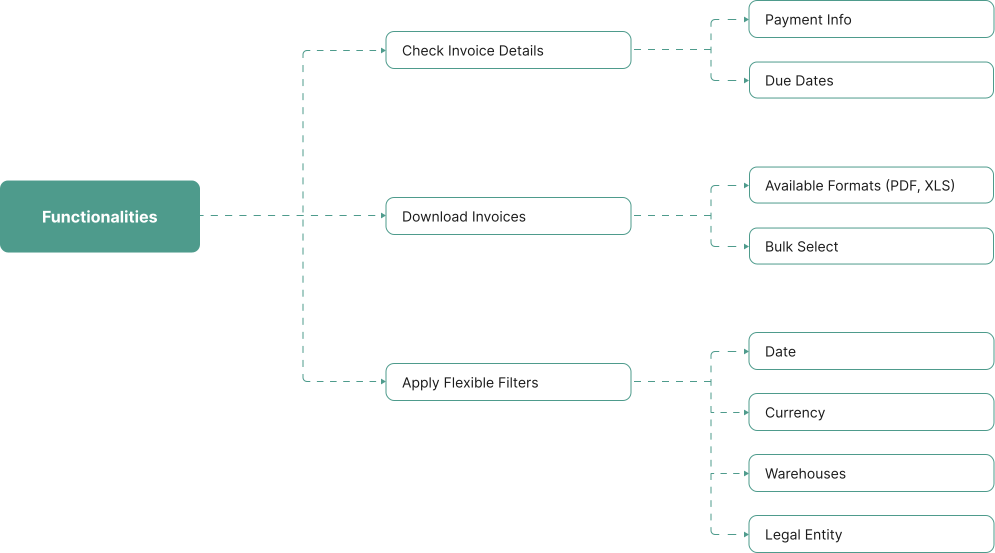
Together with the team, we identified key user tasks: view transactions, download invoices, filter
by date, track status, and access payment info. These tasks shaped our priorities. The result: a
lean, intuitive interface that covered real needs.
Smart Layout
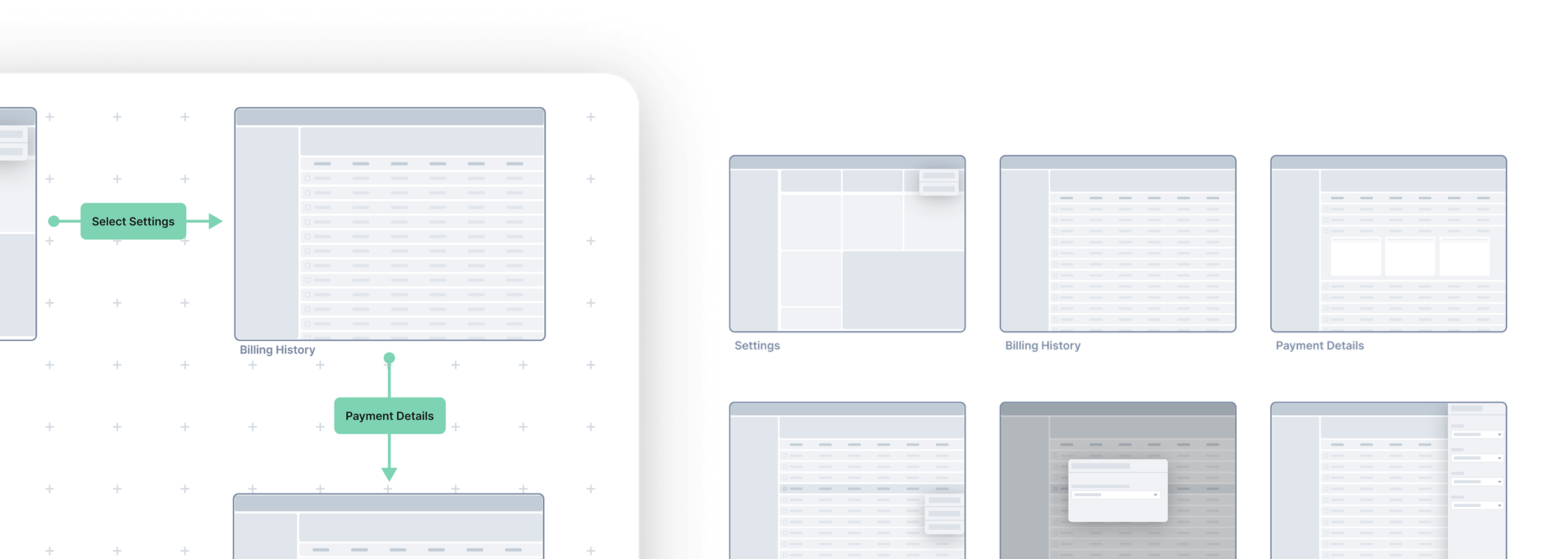
After research I started work on wireframes with a strong visual hierarchy to lead users naturally.
Every feature had its place and purpose. Less clutter, more clarity.
Unified Design
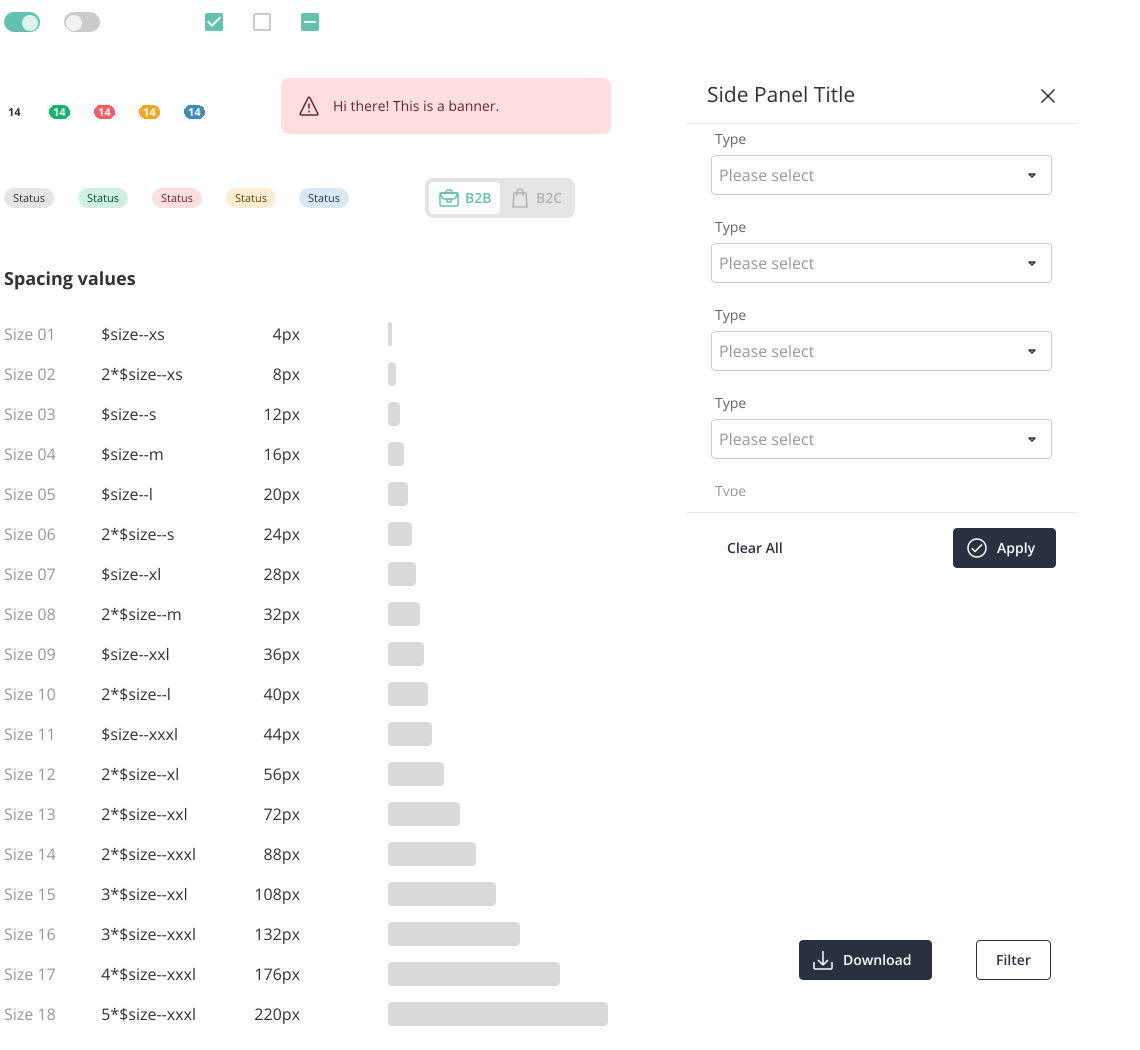
I used our Design System to build with speed and consistency. Reusable components made the UI feel
familiar and polished. It also ensured future scalability without sacrificing cohesion.
Reflections & Takeaways
This experience reminded me that doing things together really matters, especially when there’s
pressure to deliver fast. Our hackathon project didn’t win, but our teammates liked the idea so much
that we built and shipped the feature anyway. It felt great to see how far a good idea can go when
it has the team's support.